
Korea SIM Card vs eSIM vs Pocket Wi-Fi
eSIM, tourist SIM card or pocket Wi-Fi for Korea? How each works, when you need a local number, and which suits solo travelers, couples and groups.
Contents
- Key takeaways
- Data-only or a Korean phone number?
- eSIM vs physical SIM
- Pocket Wi-Fi
- Setup checklist before you fly
- Common mistakes
- FAQ
- Do I need a Korean phone number as a tourist?
- Is an eSIM better than a physical SIM in Korea?
- Can I use pocket Wi-Fi instead of a SIM card in Korea?
- Which Korean carriers offer tourist SIM cards and eSIMs?
- Sources
For most short trips to Korea, an eSIM or a tourist SIM card from one of the three major Korean carriers is the simplest way to stay online. Pocket Wi-Fi mainly makes sense when several people want to share one connection. The bigger decision is whether you only need data or also want a Korean phone number.
Key takeaways
- KT, SK Telecom and LG U+ all sell tourist SIM cards and eSIMs, in data-only and data-plus-voice versions.
- An eSIM can be installed before you fly so you are online on landing; voice plans need passport verification.
- Pocket Wi-Fi suits groups sharing one hotspot, but it is one more device to charge, carry and return.
Data-only or a Korean phone number?
Tourist mobile plans in Korea come in two broad types.
Data only
- Gives you internet for maps, messaging, translation and taxi apps.
- Comes with no Korean phone number, so you cannot receive Korean text messages.
Data plus voice
- Adds a Korean mobile number, usually starting with 010.
- Lets you receive calls and texts, which can be handy for restaurant waitlists, deliveries or verification codes from some Korean apps.
- Needs passport verification. Depending on the carrier, this happens at an airport counter or online after you have entered Korea.
A tourist number is not the same as a full resident subscription, and it will not pass every bank or government identity check. For most visitors, data only is enough. If you expect to make reservations that send codes by text, consider a voice plan. Product rules differ by carrier, so check each carrier’s official English page before you buy.
eSIM vs physical SIM
eSIM
- A digital SIM profile that you install by scanning a QR code.
- Many recent phones support it.
- Often installed before departure, so data works as soon as you land.
- Some plans have activation windows or start counting days from installation, so read the product terms first.
Physical SIM card
- A small plastic card that you buy at an airport counter or a carrier store and put in your phone.
- Works in phones that do not support eSIM.
- Usually requires your passport.
Whichever you choose, your phone must be carrier-unlocked. A phone locked to your home carrier will not accept a Korean SIM or eSIM.
Worked example. Two friends arrive at Incheon on the same flight for a 10-day trip.
- Friend A installed a data eSIM at home, turns off airplane mode on landing and is online at the baggage carousel.
- Friend B queues at an airport SIM counter. Suppose 12 people are ahead and each takes about 2 minutes: 12 × 2 = 24 minutes of waiting, plus a few minutes to get set up.
Both end up with the same internet access, but Friend A saved about half an hour. Data allowances and prices change often, so compare current packages on the carriers’ official sites rather than relying on old lists.
Pocket Wi-Fi
A pocket Wi-Fi is a small portable hotspot that you rent for the length of your trip. Several phones, tablets or laptops can connect to it at the same time, and your phone does not need eSIM support.
The downsides:
- It is another device to carry and charge, and it needs to last a full day of sightseeing.
- Everyone has to stay near the person carrying it.
- You must return it on time, usually at the airport, or pay a penalty.
For one person or a couple with eSIM-capable phones, individual plans are usually easier. For a family or group that stays together all day, one rented hotspot can be convenient. Check rental, deposit and return rules directly with the provider before you book.
Setup checklist before you fly
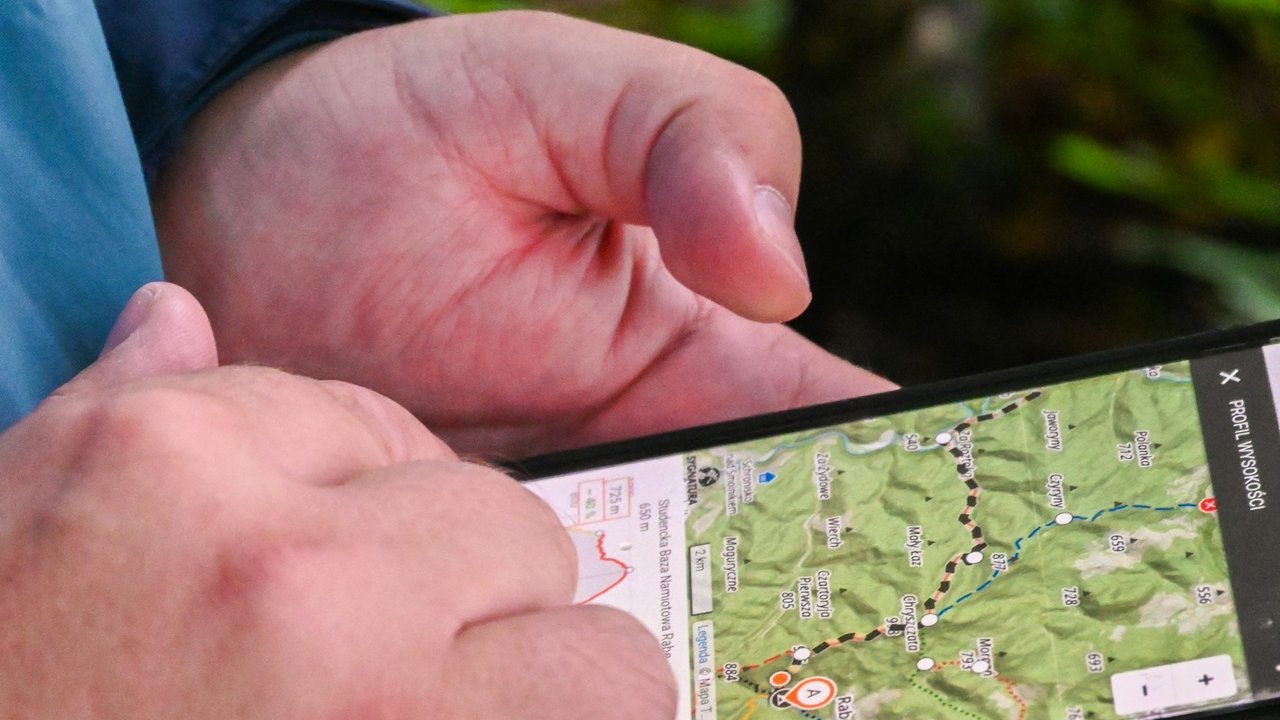
- Confirm your phone is unlocked and check whether it supports eSIM.
- Decide between data only and data plus voice.
- Buy your plan from a carrier’s official page, or plan to buy at the airport.
- Download offline maps of Seoul as a backup.
- Save your hotel address in Korean so you can show it to a taxi driver.
Once you are connected, you can plan the ride into the city with Incheon Airport to Seoul: AREX, bus or taxi. Then sort out payments with Money in Korea: cards, cash exchange and T-money. For ideas on what to see, read our Seoul travel guide.
Common mistakes
- Buying a data-only plan when you need a Korean number for text messages, or the other way round.
- Assuming your phone supports eSIM, or that a carrier-locked phone will work.
- Relying on airport Wi-Fi and then having no data on the way into the city.
- Not reading the activation rules on an eSIM, so the validity period starts too early.
FAQ
Do I need a Korean phone number as a tourist?
Usually not. Data-only plans cover maps, messaging and most apps. A data-plus-voice tourist plan gives you a 010 number if you need to receive calls or text messages, for example for reservation codes.
Is an eSIM better than a physical SIM in Korea?
For a recent unlocked phone, an eSIM is usually more convenient because you can install it before you leave home. A physical SIM is the fallback for phones without eSIM support.
Can I use pocket Wi-Fi instead of a SIM card in Korea?
Yes, and it works well for groups who stay together. Solo travelers usually find their own eSIM or SIM easier, because there is no extra device to charge or return.
Which Korean carriers offer tourist SIM cards and eSIMs?
KT, SK Telecom and LG U+ all offer short-term products for visitors. Compare current plans and verification rules on each carrier’s official English pages.
Sources
- KT, official roaming and visitor mobile information: https://roaming.kt.com/
- LG U+, official Korea eSIM page for visitors: https://www.lguplus.com/korea-sim/eng/pc/product/esim?tab=data
- Korea Tourism Organization, VISITKOREA official English website: https://english.visitkorea.or.kr/
Last checked: 2026-10-10
Related posts

Autumn Foliage in Korea: Best Places and Dates
2026 Korea autumn foliage peak dates by mountain from the Korea Forest Service forecast, plus how to plan Seoraksan, Naejangsan and Seoul viewing trips.
K-ETA and Korea Entry Requirements (2026 Guide)
Do you need a K-ETA for Korea in 2026? How the temporary exemption works, what the free e-Arrival Card is, and how to avoid fake agency sites.

Incheon Airport to Seoul: AREX, Bus or Taxi
AREX Express, All-Stop train, airport bus or taxi from Incheon Airport to Seoul: approximate times, fares and which one fits your hotel and arrival time.
Money in Korea: Cards, Cash Exchange and T-money
How foreign cards, cash exchange, Global ATMs and T-money transit cards work for visitors to Korea, plus the fee traps to avoid on your first day.
Collaboration & consulting: [email protected]
More in Korea Guide: Export to Korea: Market Guide